3.3.2 My New Library - How to check books out with Bookbag (Patron facilitated checkout)
This will explain how to use the bookbag checkout feature; Which allows librarians to easily checkout books to a patron, which were selected by the patron. (LIBRARY, BOOKBAG, CHECKOUT)
The purpose of the bookbag feature is to allow patrons to request books online, and allow librarians to checkout books more easily.
Background: Let's look at what this looks like from the patrons perspective.
When patrons go to your catalog, they will see every book as a card and a button that says "Add to Bookbag". Clicking that button will add that book to their bookbag, which they can see by clicking on the "My Bookbag" tab. There, they can edit or submit their checkout request. Librarians will not be able to see the request until it has been submitted by the patron. Patrons can still add or remove books after the request is submitted.
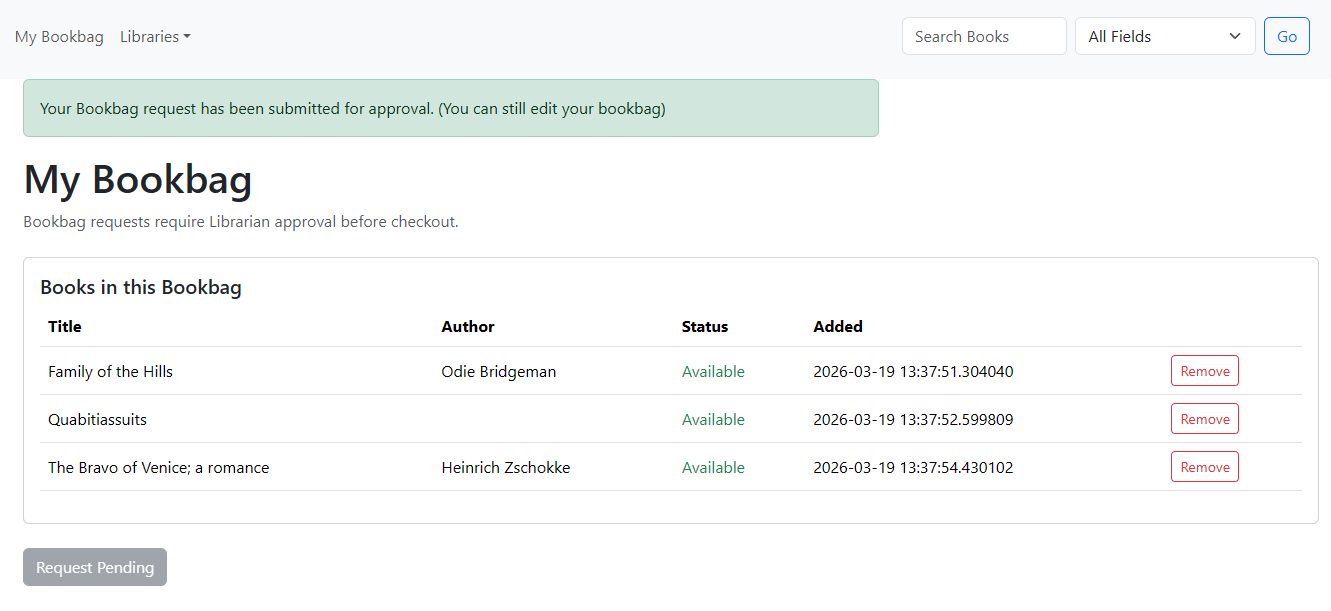
Now let's go over what the librarian actually does with a bookbag checkout.
Step 1. Identify the patron and then go to "Check-in/out" and then "Bookbag Checkout". Filter by the patron's name.

Step 2. As it is possible for two patrons to bookbag an item at the same time, check the bookbag for status conflicts. Any conflicts must be removed from the bookbag prior to approving the checkout. If they would like, the patron can put any removed books on the waitlist.

If a conflict is found, click "Edit Bookbag", and remove the offending items. Then click "Back to Bookbag Checkout".


Step 3. Approve or decline the checkout.
